
01
Swivel-chair work
Copying data between systems.
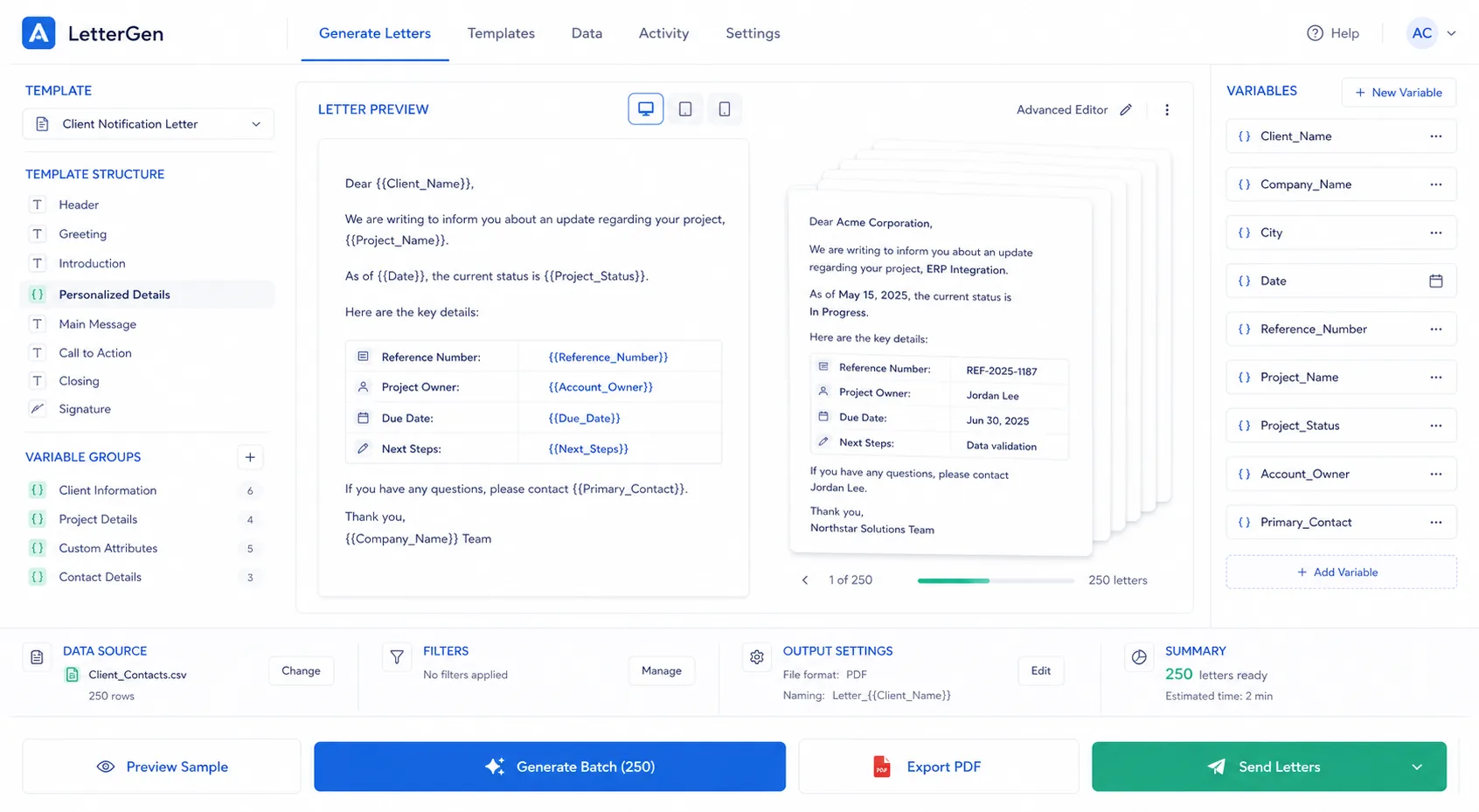
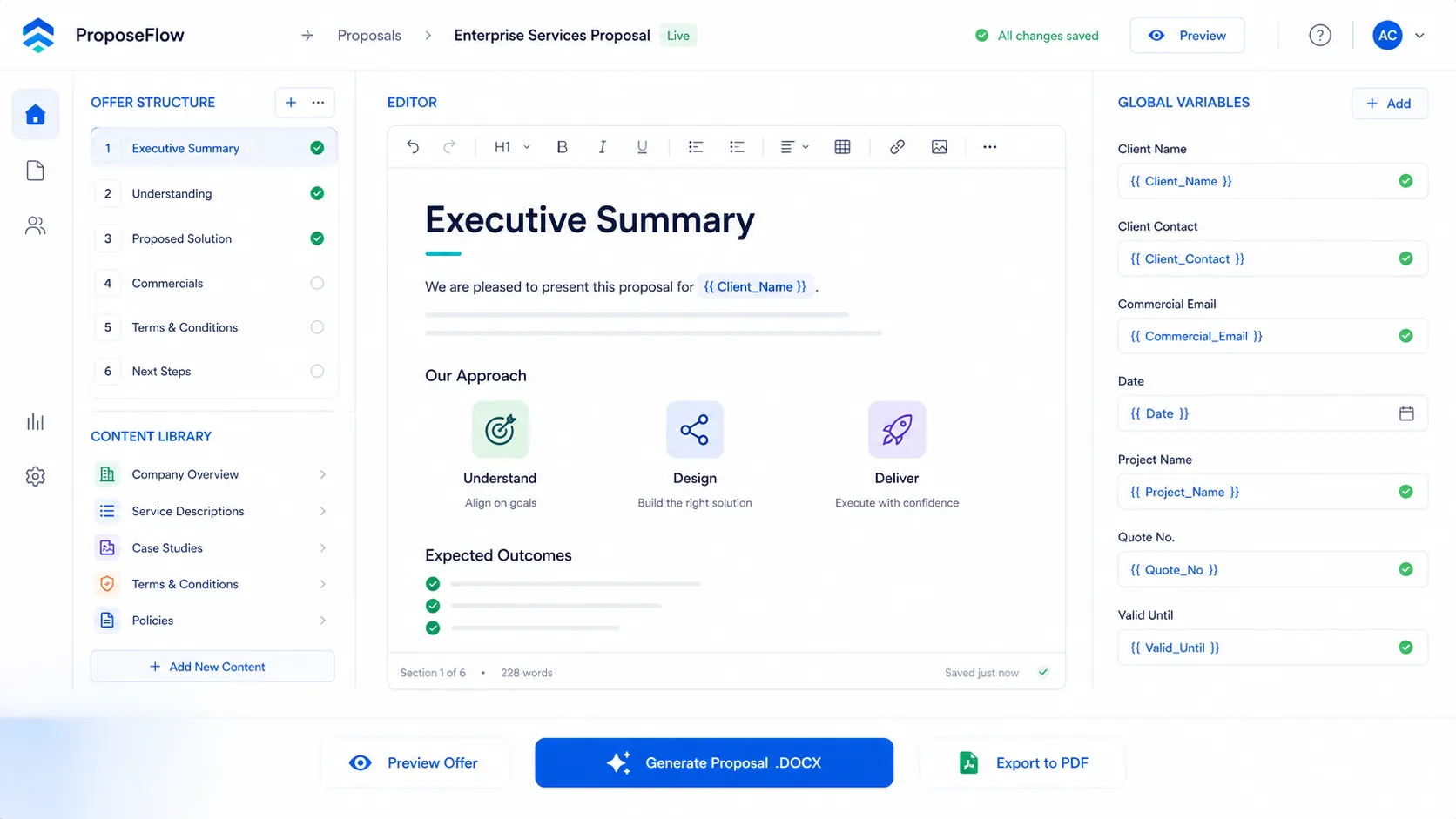
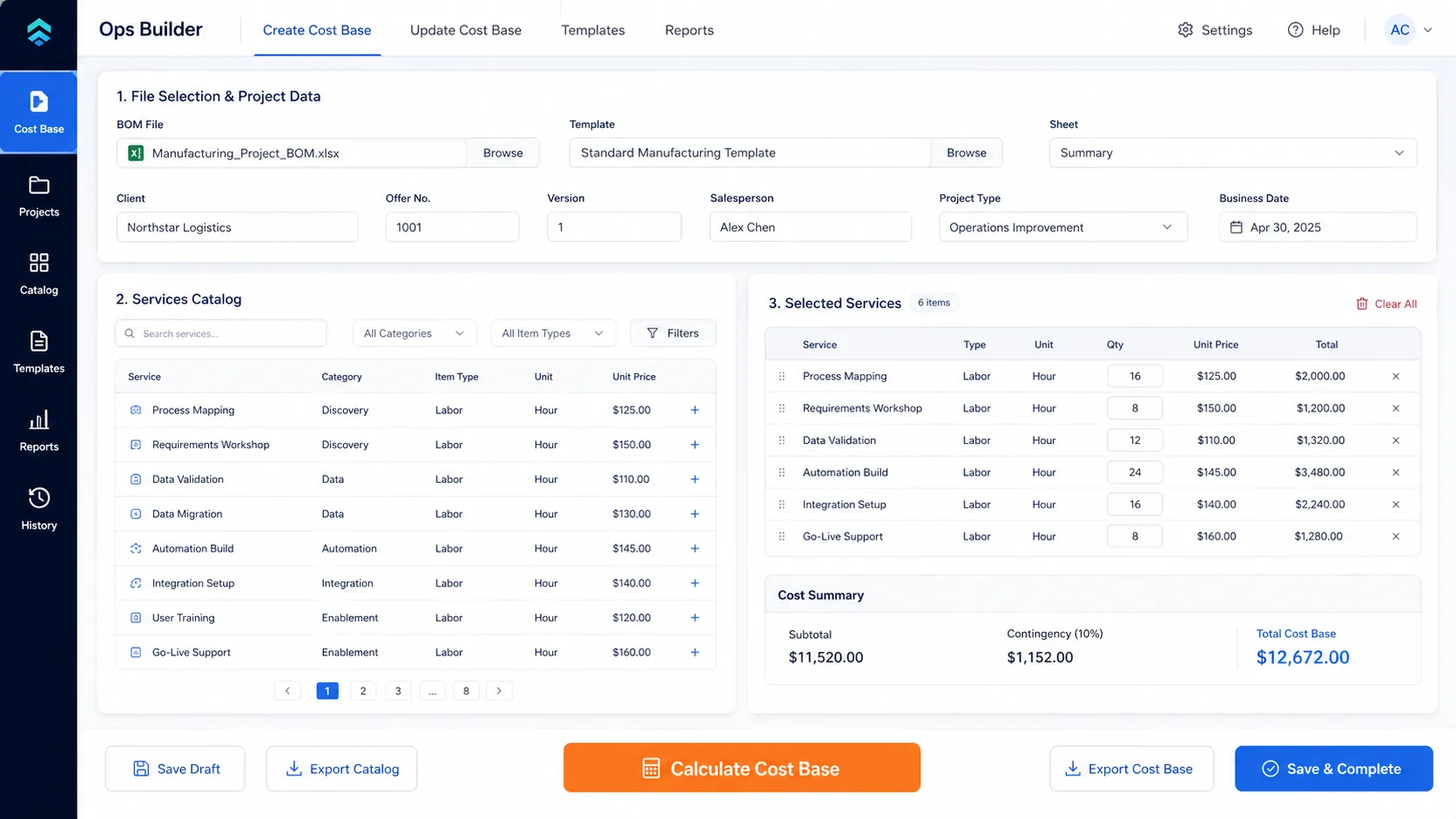
Business process automation and workflow automation services for B2B teams that need private Python systems for proposals, CRM updates, Excel, Word, and internal operations. You recover hours, reduce errors, and move faster without adding headcount.
COMMON INTEGRATIONS & ENVIRONMENTS
Explore related services
If your team is doing any of these manually, you're losing money every week.


Each example shows the input, the automation, and the result — so you can see exactly what changes in your team's day.
Before
Copying data by hand
Automation
Template + pricing logic
Result
Draft ready in minutes
Pricing, review, and delivery stay in one controlled flow.
Before
Leads wait in inboxes
Automation
Validate, enrich, route
Result
Right owner sees it fast
The lead reaches the right person without inbox chasing or manual handoffs.
Before
Manual cleanup weekly
Automation
Validate and reconcile
Result
Clean outputs on schedule
Recurring reporting stays predictable instead of becoming a cleanup task.
Adjust the sliders to see what manual work is costing your team each year.
Estimated annual cost at stake
Estimated hours at stake
Calculated from the inputs above, not a benchmark claim.
Get Your Custom Automation Plan ->From diagnostic to deployed automation in weeks, not months.
We map your slowest operational bottleneck in a quick assessment. If we can't save you money, we won't sell you a project.
We engineer the automation end-to-end. You get a scoped, turnkey solution with a predictable, fixed price. No hourly billing traps.
APIs change. Our monthly subscription includes maintenance, error logging, and up to 2 workflow modifications per month.
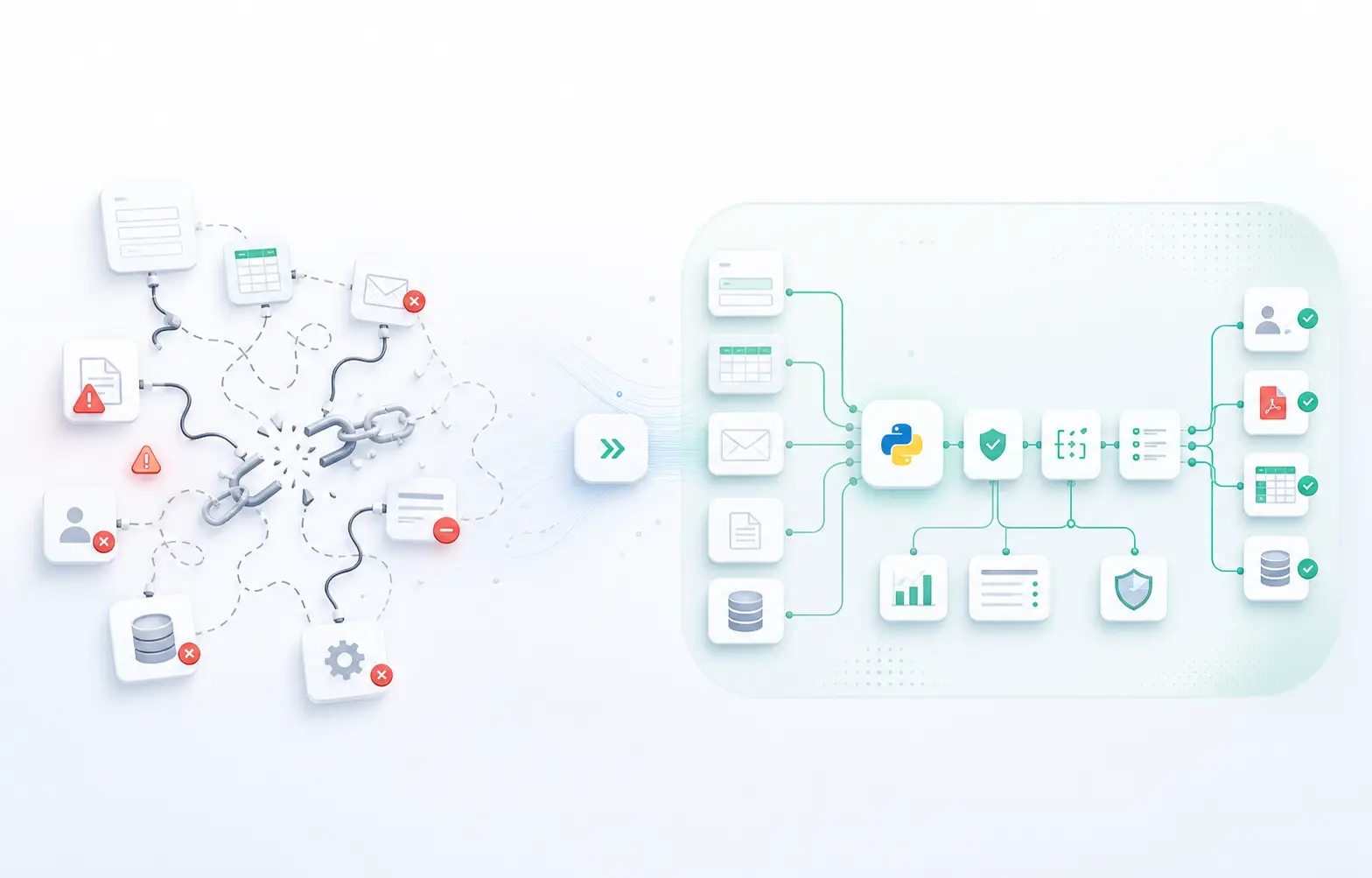
No-code tools work for simple tasks, but at scale they produce silent failures - broken webhooks, rate limits, no error logging. We build with Python, FastAPI, and direct API integrations. You get comprehensive logging, automatic retries, and fallback handling by default.
No retainers. No hourly surprises. We scope the work clearly before any development begins.
In a short diagnostic session we identify the one process costing you the most time per week. If it is not worth automating, we tell you that.
You receive a written scope with a single fixed fee. The price does not change unless the scope changes — and any change goes through your approval first.
The automation is built, tested, and deployed in your environment. After delivery, the Evolution subscription keeps it maintained as your systems change.
We prioritize on-premise and offline-first automation whenever the workflow allows it. That keeps the execution inside your environment, with tight control over access, validation, and handoff points.
When possible, automations run in your own infrastructure so sensitive files, forms, and operational data stay under your control.
We favor local processing, controlled sync points, and failure-tolerant workflows over fragile always-on cloud dependencies.
Every approval, validation, and exception is designed to be visible and auditable so human review can stay in the loop where it matters.
If the workflow repeats, has clear inputs and outputs, and touches systems you already use, we can usually improve it quickly. If it is ad hoc, tiny, or mostly exploratory, we will tell you that early.
Everything you need to know before booking your diagnostic.
No. Hourly billing misaligns our incentives. We operate on a strict "Build & Run" model. You get a fixed-price quote for the entire project implementation. Once deployed, our monthly subscription covers hosting, maintenance, and 2 workflow modifications per month.
Yes. We prioritize on-premise and offline-first deployments wherever possible, so the automation runs inside your own environment. Your data does not leave the client's server or private infrastructure unless you explicitly choose a cloud-connected workflow.
That's exactly why our "Run" subscription exists. APIs break and templates change. Your monthly subscription includes up to 2 workflow modifications per month to ensure your automation adapts instantly to your business changes.
Most automation builds are delivered in 2–6 weeks from the signed scope. The diagnostic takes about 30 minutes. Complex multi-system workflows may take longer, but we give you a timeline before any work begins.
Our Fixed Build starts at $2,500. If your process is too simple to justify that investment, we will tell you during the diagnostic and point you toward a simpler tool instead. No hard sell.
Only what the workflow requires. We work with read-only tokens, scoped API keys, and sandbox environments wherever possible. We document every access point in the project scope so your team can review and revoke access at any time.
Book a free quick assessment. We'll map your highest-ROI automation opportunity. If we can't save you money, we'll tell you.
Tell us which process repeats every week.
We reply with the specific places it is costing you time. No sales call.
If we can't identify at least $10,000/year in savings during your diagnostic, we'll tell you honestly and won't sell you a project. Zero risk.