
Zapier alternative: custom automation vs no-code
Compare alternatives to Zapier and Make, then decide when custom Python automation is the better fit for reliability, observability, control, or private deployment.
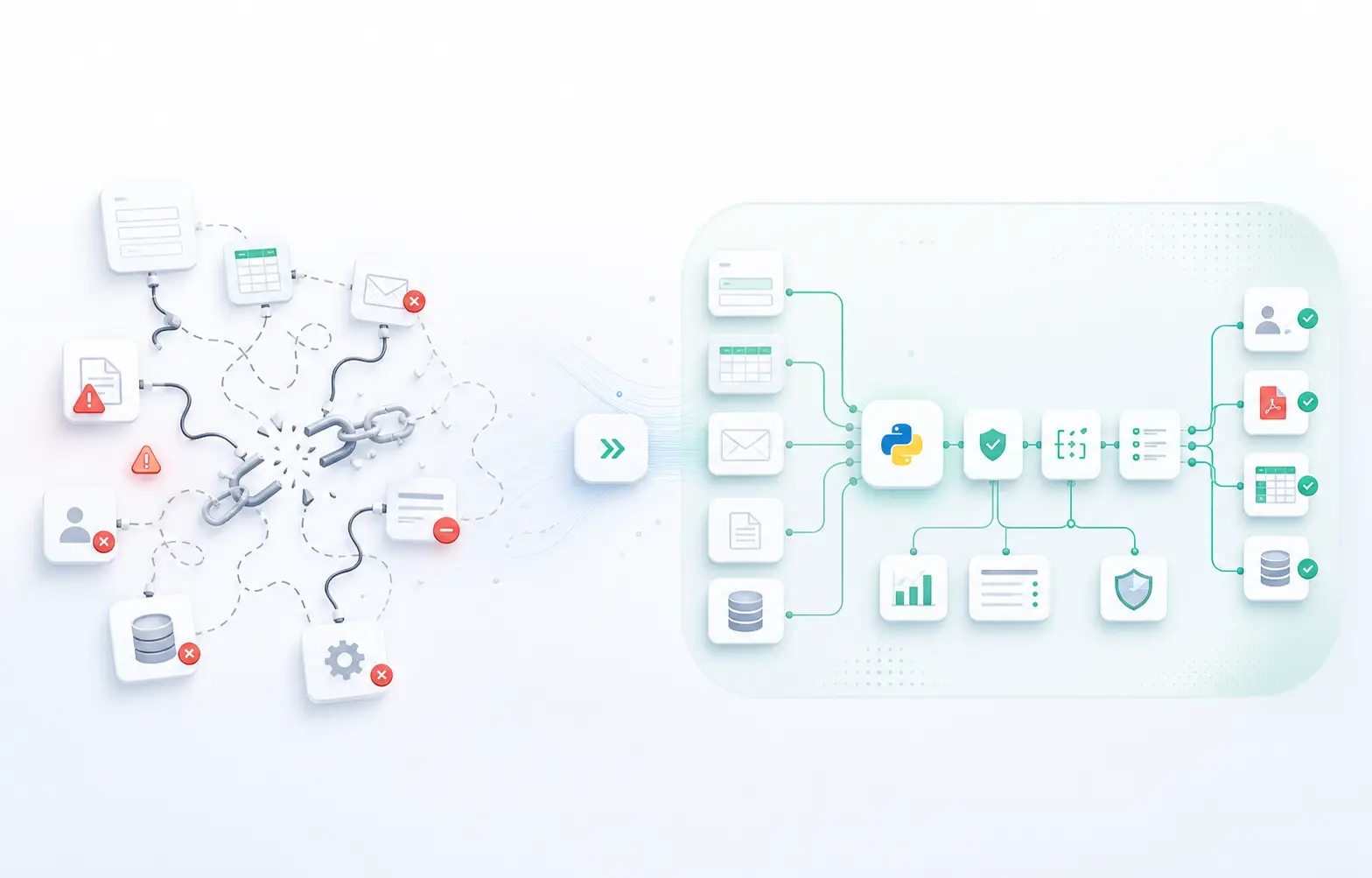
THE CHECKPOINT
Three questions before changing tools
A useful comparison starts with the workflow, not the vendor shortlist.
RISK
What happens when it fails?
Can someone see the failure, retry safely, and resolve the exception?
DATA
Where should data run?
Can the workflow use a vendor runtime, or does it need a private boundary?
OWNERSHIP
Who maintains it?
Is the team prepared to own credentials, monitoring, changes, and support?
Tool choice
Make vs Zapier vs custom workflow automation
Make, Zapier, n8n, and custom workflow automation solve different problems. Compare the process complexity, data boundaries, observability, ownership, and maintenance required before choosing a stack.
- 01
Connector tools: Make or Zapier
Start here when the workflow is simple enough to explain, monitor, and recover without custom controls.
Check triggers, branching, volume, and the systems involved.
- 02
More control: n8n or self-hosted tooling
Consider this when the team wants more configurable execution but can own runtime, credentials, monitoring, and failures.
More control still means more operational ownership.
- 03
Custom workflow automation
Evaluate custom code when the process needs explicit rules, private execution, deeper logging, retries, or a focused internal tool.
Choose it because the process needs it, not because custom sounds more advanced.
THE DECISION IN PRACTICE
Keep the simple path until the process tells you otherwise
The decision is a progression, not a competition. Start with the lightest option, then move only when control, reliability, or privacy becomes part of the requirement.
START
No-code fits
Low-risk tasks, light volume, simple branching, and data that can safely move through a vendor tool.
WATCH
Signals appear
Retries, rate limits, brittle branches, debugging overhead, or manual exceptions start repeating.
MOVE
Custom becomes sensible
The workflow needs explicit rules, logs, retries, private execution, or a focused internal surface.
What the decision usually comes down to
The point is not to reject no-code entirely. The point is to know when the workflow has outgrown a tool stack and needs custom code, observability, and private deployment.
When no-code is enough
Low-risk automations, light volume, simple branching, and data that can safely move through a vendor tool.
Signals you have outgrown it
Silent failures, rate limits, brittle branches, debugging overhead, and manual exceptions that keep piling up.
Why custom wins
You get reliability, logs, retries, control over the data flow, and workflows shaped around the business process.
Why the cost changes
A cheap stack can become expensive once volume, retries, debugging, and maintenance start repeating every month.
Decision matrix
How the tradeoff usually shows up in practice
The choice is rarely abstract. It usually shows up as debugging time, process risk, missing logs, and the amount of manual cleanup your team still needs after every run.
Reliability
No-code
Can work well until branching, retries, or rate limits become frequent.
Custom
You get explicit error handling, logging, and more predictable execution.
Use no-code only if the workflow stays simple.
Data sensitivity
No-code
Often fine for low-risk data that can move through a third-party stack.
Custom
Better when data should stay in a private runtime or controlled environment.
Move to custom when privacy matters.
Debugging
No-code
Can be quick to start, but harder to trace after many branches and handoffs.
Custom
Tracing is part of the system, so failures are easier to isolate and recover.
Prefer custom once support costs rise.
Real-world scenarios
Examples of workflows that usually outgrow no-code
These are the kinds of business processes that tend to start simple and then become worth rebuilding once reliability, logging, and private execution matter more than the convenience of the original tool stack.
CRM routing and follow-up
Lead enrichment, assignment, reminders, and handoffs are easy to start in no-code. They get brittle when routing logic grows, retries matter, or sales operations needs logs for every update.
Document and proposal generation
Drafting letters, proposals, and internal documents can begin as templates and forms, but custom automation becomes better when variables, approvals, and batch output must stay traceable.
Private or regulated workflows
If the process touches sensitive data, needs on-premise behavior, or must stay away from a third-party stack, private Python automation is usually the cleaner long-term fit.
Migration framework
How we decide whether to keep a workflow in no-code or rebuild it
We start with the workflow itself, not the tool stack. If a process is rare, low-risk, and easy to explain, a no-code tool can be the right answer.
When the same process becomes repetitive, high-value, or fragile, we look at custom automation so the team gets logs, retries, private execution, and cleaner handoffs.
That is why the best comparison is not tool versus tool. It is business process versus business process, with the implementation chosen for reliability and control.
Keep no-code
Simple, low-risk, low-volume tasks.
Consider custom
Repeated workflows with critical handoffs.
Move now
Sensitive data, debugging pain, or failed runs.
FAQ
Questions teams ask before moving beyond no-code
When is no-code automation enough?
If support time, debugging, or manual cleanup starts to rival the time saved, the workflow is probably ready for custom automation.
When should a team move to custom automation?
We usually keep what still works and replace only the brittle or high-risk paths so the migration stays practical.
Why is custom automation better for private workflows?
Yes. The goal is not to overbuild. The goal is to make the workflow reliable, traceable, and easier to maintain.
Do you recommend replacing all no-code tools?
No. We use the simplest tool that fits the job, then move only the flows that need more control or a private runtime.
Related service paths
If the workflow needs more control, these service pages are the next step
The comparison works best when it leads to the specific page that matches the workflow. Use the page that fits the problem, then keep the implementation simple, traceable, and private where needed.
Ready to automate?
Book a free diagnostic and we'll map your bottleneck.
Compare Your Workflow Options